
Google Form Quiz with 10-Minute Countdown Timer Using Apps Script
$ 9.97
📥 **Your Purchase Includes:**
– Immediate access to the google forms template.
– Downloadable Apps Script code for flexibility and customization.
– In-depth tutorial for a guided learning experience.
🛍️ **Make your purchase today
Google Form Quiz with 10-Minute Countdown Timer (Apps Script Add-On)
Turn any Google Form into a timed quiz without risky auto-submissions. This lightweight Apps Script displays a visible countdown and, on zero, freezes inputs and prompts a manual submit. Perfect for schools, HR screens, and cert quizzes that require students to intentionally press “Submit.”
Key Features of Google Forms Quiz Timer
-
Visible 10-Minute Countdown
Fixed, responsive timer (changeable to 5/15/30+). -
Manual Submit by Design
On timeout, the script disables further edits, shows a Time’s Up banner, and guides users to the native Submit button. No forced submission. -
Start Button / Auto-Start (Optional)
Let users start when ready or begin on load. -
Refresh/Back Protection
Timer state persists to block time-cheating via refresh. -
Native Stack Only
Google Forms + Apps Script. No extensions, no paid APIs. -
Clean UI
Minimal, unobtrusive, mobile-friendly.
What You Get
-
Apps Script Source Code (commented)
-
Setup Guide (PDF) with screenshots
-
Quick-Start Video (MP4)
-
Customization Cheatsheet (duration, colors, messages)
-
Email Support for installation Q&A
Use Cases
-
Exams that must be student-submitted
-
Corporate/HR assessments with audit trails
-
Bootcamps and coding challenges
-
Training checks where edits must stop at time
Technical Details
-
Platform: Google Forms + Apps Script
-
Default Duration: 10 minutes (1 var to change)
-
Timeout Behavior: Lock inputs, show banner, scroll/focus to Submit, manual submit required
-
Compatibility: Chrome, Edge, Firefox, Safari
-
Accounts: Works on personal & Workspace (admin rules may apply)
How It Works (High Level)
-
Open your Google Form → Script editor.
-
Paste the provided code and set your duration.
-
Deploy as a bound script and enable the triggers.
-
Share the form link—timer displays automatically.
-
At zero: inputs lock, user presses Submit.
Customization
-
Duration (mm:ss)
-
Colors, position, warning at 1 min
-
Start button text/visibility
-
“Time’s Up” message copy
💡 Stay organized, save time, and ensure nothing slips through the cracks!
YouTube Channel: https://www.youtube.com/@TechTrickswithEli2023
Telegram Channel: https://t.me/techtrickswithEli
Related template
Automatically Collect Google Form Responses and Instantly Send a Confirmation Email
Related products


How to Automatically Send Email from Google Sheets
🌟 Product Title: "Automatically Send Email from Google Sheets"
🚀 What You'll Achieve:
- Simplify email management with our Google Sheets template.
- Implement automated email sending with our user-friendly Apps Script code.
- Learn the entire process through our comprehensive YouTube tutorial.
🌐 Note: This product is designed to simplify the process of automatically sending emails from Google Sheets. We're here to support you on your journey to efficient communication!
🔗 **For any assistance, reach out to us at [Click Here].**
🛍️ **Make your purchase today and redefine the way you manage email communication!**
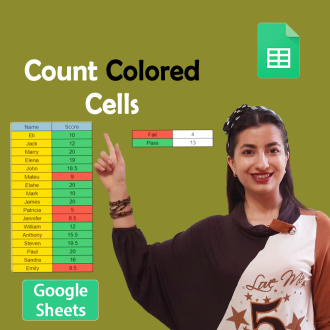
Count Cells Based on Color in Google Sheets
🌟 **Product Title: "Count Cells Based on Color in Google Sheets!"**
📥 **Your Purchase Includes:**
- Immediate access to the Google Sheets template for color-based cell counting.
- Downloadable Apps Script code for customization.
- Link to our comprehensive YouTube tutorial for guided learning.
🌐 **Note:** This product is designed to simplify the process of counting cells based on color in Google Sheets. We're here to support you on your journey to efficient data analysis!
🔗 **For any assistance, reach out to us at [Click Here].**
🛍️ **Make your purchase today and revolutionize your color-based data analysis!**

Creating Date Pickers and Validating Dates in Google Sheets
🌟 **Product Title: "Creating Date Pickers and Validating Dates in Google Sheets"**
📥 **Your Purchase Includes:**
- Immediate access to the Google Sheets template for date management.
- Link to our detailed YouTube tutorial for guided learning.
🌐 **Note:** This product is designed to simplify the process of creating date pickers and validating dates in Google Sheets. We're here to support you on your journey to efficient date management!
🔗 **For any assistance, reach out to us at [Click Here].**
🛍️ **Make your purchase today and transform your date management in Google Sheets!**
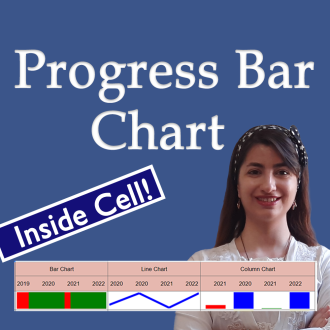
Create a progress bar Chart Inside a Cell in Google Sheets (Full Tutorial)
🌟 **Product Title: "Create a Progress Bar Chart Inside a Cell in Google Sheets (Full Tutorial)"**
Transform your data visualization game with our exclusive product! By making this purchase, you'll unlock a powerful duo:
1. **Google Sheets Template:**
- Step into the realm of dynamic data presentation with our ready-to-use Google Sheets template. Effortlessly create progress bar charts inside cells for impactful data representation.
2. **Link to the Full Tutorial Video:**
- Master the art of progress bar chart creation through our comprehensive video tutorial. Follow step by step and elevate your Google Sheets skills.
📥 **Your Purchase Includes:**
- Immediate access to the Google Sheets template for progress bar chart creation.
- Link to our full tutorial video for guided learning.
⚙️ **How to Get Started:**
1. Download the Google Sheets template to initiate progress bar chart creation.
2. Customize your cells with dynamic progress indicators based on your data.
3. Follow our full tutorial video for insights into effective implementation.
🌐 **Note:** This product is designed to simplify the process of creating progress bar charts inside cells in Google Sheets. We're here to support you on your journey to impactful data visualization!
🔗 **For any assistance, reach out to us at [Click Here].**
🛍️ **Make your purchase today and transform your data presentation in Google Sheets!**