





Google Forms, With Auto-Generate Reference Numbers When Submitted
$ 9.97
📥 **Your Purchase Includes:**
– Immediate access to the Google forms template.
– Downloadable Apps Script code for flexibility and customization.
– In-depth tutorial for a guided learning experience.
🛍️ **Make your purchase today
YouTube Channel: https://www.youtube.com/@TechTrickswithEli2023
Telegram Channel: https://t.me/techtrickswithEli
Product Description: Google Forms with Auto-Generate Reference Numbers When Submitted
Make your Google Forms smarter and more efficient with our Auto-Generate Reference Numbers feature! Perfect for businesses, organizations, and individuals, this functionality adds a unique reference number to each form submission, streamlining tracking and record-keeping.
Key Features:
- Automated Reference Numbers: Assigns unique IDs to every form response, ensuring accuracy and avoiding duplicate records.
- Professional & Organized: Adds a polished touch to your Google Forms for seamless data management.
- Customizable Format: Easily define the format of reference numbers, such as “REF-YYYYMMDD-###.”
- No Manual Effort: Completely automated process triggered upon submission, saving time and reducing errors.
- Real-Time Updates: Instantly populates the reference number in your linked Google Sheet.
Benefits:
- Track Submissions Easily: Quickly locate and identify specific responses by their unique reference numbers.
- Improved Workflow Efficiency: Simplifies processing for applications, orders, registrations, or support tickets.
- Better Organization: Ideal for businesses, schools, or events requiring systematic data tracking.
Who Is It For?
This feature is ideal for:
- Businesses managing customer inquiries, orders, or feedback.
- Event organizers handling registrations and attendee lists.
- Schools and universities managing applications or assessments.
- Freelancers and professionals looking for efficient client data handling.
How It Works:
- Set up your Google Form as usual.
- Use our easy-to-implement Apps Script to enable the auto-generate feature.
- Reference numbers are automatically added to your responses in the linked Google Sheet.
Upgrade your Google Forms experience today with this powerful automation feature, and bring efficiency and professionalism to your data management process!
YouTube Channel: https://www.youtube.com/@TechTrickswithEli2023
Telegram Channel: https://t.me/techtrickswithEli
You must be logged in to post a review.
Related products

Create Email Notification on Form Submit in Google forms
📥 Your Purchase Includes:
– Immediate access to the Google forms template.
– Downloadable Apps Script code for flexibility and customization.
– In-depth tutorial for a guided learning experience.
🛍️ Make your purchase today
YouTube Channel: https://www.youtube.com/@TechTrickswithEli2023
Telegram Channel: https://t.me/techtrickswithEli
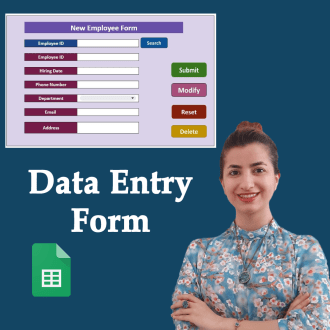

Google Sheets Data Entry Form Builder – Complete Package

How to Move the Row Based on a Drop-down List in Google Sheets
🌟 Product Title: "How to Move the Row Based on a Drop-down List in Google Sheets"
📥 Your Purchase Includes:
- Immediate access to the Google Sheets template.
- Downloadable Apps Script code for your customization.
- A link to our detailed video tutorial.
🌐 Note: This product is designed to empower your data management capabilities, offering a comprehensive solution for moving entire rows effortlessly. We're here to support you on your journey to data efficiency!
🔗 For any assistance, reach out to us at [Click Here].
🛍️ Make your purchase today and redefine the way you manage data!
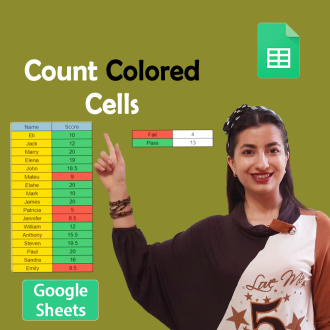
Count Cells Based on Color in Google Sheets
🌟 **Product Title: "Count Cells Based on Color in Google Sheets!"**
📥 **Your Purchase Includes:**
- Immediate access to the Google Sheets template for color-based cell counting.
- Downloadable Apps Script code for customization.
- Link to our comprehensive YouTube tutorial for guided learning.
🌐 **Note:** This product is designed to simplify the process of counting cells based on color in Google Sheets. We're here to support you on your journey to efficient data analysis!
🔗 **For any assistance, reach out to us at [Click Here].**
🛍️ **Make your purchase today and revolutionize your color-based data analysis!**

Creating Date Pickers and Validating Dates in Google Sheets
🌟 **Product Title: "Creating Date Pickers and Validating Dates in Google Sheets"**
📥 **Your Purchase Includes:**
- Immediate access to the Google Sheets template for date management.
- Link to our detailed YouTube tutorial for guided learning.
🌐 **Note:** This product is designed to simplify the process of creating date pickers and validating dates in Google Sheets. We're here to support you on your journey to efficient date management!
🔗 **For any assistance, reach out to us at [Click Here].**
🛍️ **Make your purchase today and transform your date management in Google Sheets!**

Create a progress bar Chart Inside a Cell in Google Sheets (Full Tutorial)
🌟 **Product Title: "Create a Progress Bar Chart Inside a Cell in Google Sheets (Full Tutorial)"**
Transform your data visualization game with our exclusive product! By making this purchase, you'll unlock a powerful duo:
1. **Google Sheets Template:**
- Step into the realm of dynamic data presentation with our ready-to-use Google Sheets template. Effortlessly create progress bar charts inside cells for impactful data representation.
2. **Link to the Full Tutorial Video:**
- Master the art of progress bar chart creation through our comprehensive video tutorial. Follow step by step and elevate your Google Sheets skills.
📥 **Your Purchase Includes:**
- Immediate access to the Google Sheets template for progress bar chart creation.
- Link to our full tutorial video for guided learning.
⚙️ **How to Get Started:**
1. Download the Google Sheets template to initiate progress bar chart creation.
2. Customize your cells with dynamic progress indicators based on your data.
3. Follow our full tutorial video for insights into effective implementation.
🌐 **Note:** This product is designed to simplify the process of creating progress bar charts inside cells in Google Sheets. We're here to support you on your journey to impactful data visualization!
🔗 **For any assistance, reach out to us at [Click Here].**
🛍️ **Make your purchase today and transform your data presentation in Google Sheets!**

How to Generate a Random ID in Google Sheets (Apps script)
🌟 Product Title: "How to Generate a Random ID in Google Sheets (Apps Script)"
📥 Your Purchase Includes:
- Immediate access to the Google Sheets template for random ID generation.
- Downloadable Apps Script code for customization.
- Link to our detailed video tutorial for guided learning.
🌐 Note: This product is designed to simplify the process of generating random IDs in Google Sheets using Apps Script. We're here to support you on your journey to efficient data management!
🔗 For any assistance, reach out to us at [Click Here].
🛍️ Make your purchase today and revolutionize your data tracking in Google Sheets!

Reviews
Clear filtersThere are no reviews yet.