





Auto-Generate Event Entry Barcode After Registration in Google Sheets
From: $ 10.97
📥 **Your Purchase Includes:**
– Immediate access to the Google Sheets and google forms template.
– Downloadable Apps Script code for flexibility and customization.
– In-depth tutorial for a guided learning experience.
🛍️ **Make your purchase today
Auto-Generate Event Entry Barcode After Registration in Google Sheets
Streamline your event registration process with our Auto-Generate Event Entry Barcode system using Google Sheets. This powerful script automatically creates a scannable barcode for each registrant immediately after they submit a form — no manual work required.
Whether you’re hosting a conference, seminar, workshop, or any type of event, this tool allows you to:
-
✅ Automatically generate a unique, scannable Code128 barcode
-
✅ Embed the barcode image directly into your Google Sheet
-
✅ Instantly email the barcode to each participant for easy check-in
-
✅ Use any barcode scanner or mobile app for quick, paperless entry
No need for third-party apps or paid software — all you need is Google Forms, Google Sheets, and our custom Apps Script.
🚀 Key Features:
-
Seamless Google Form integration
-
Auto-barcode creation using the free bwip-js API
-
Barcode embedded in your spreadsheet (no extensions needed)
-
Personalized barcode emails sent automatically
-
Works with any device that can scan Code128 barcodes
💡 Event Entry Barcode Perfect For:
-
Event organizers
-
School or university admins
-
HR and training departments
-
Workshops, webinars, and ticketed events
Save time, reduce entry queues, and digitize your event management — all within the tools you already use.
📥 Get started today and make your workflow more efficient!
🚀 Click Below to Access the Script & Step-by-Step Guide!
YouTube Channel: https://www.youtube.com/@TechTrickswithEli2023
Telegram Channel: https://t.me/techtrickswithEli
Other Related links:
Automatically Collect Google Form Responses and Instantly Send a Confirmation Email
How to Auto Generate Certificates in google sheets & Email to All participants
You must be logged in to post a review.
Related products

Google Forms, With Auto-Generate Reference Numbers When Submitted
📥 **Your Purchase Includes:**
– Immediate access to the Google forms template.
– Downloadable Apps Script code for flexibility and customization.
– In-depth tutorial for a guided learning experience.
🛍️ **Make your purchase today
YouTube Channel: https://www.youtube.com/@TechTrickswithEli2023
Telegram Channel: https://t.me/techtrickswithEli


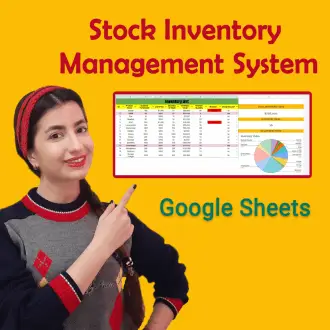
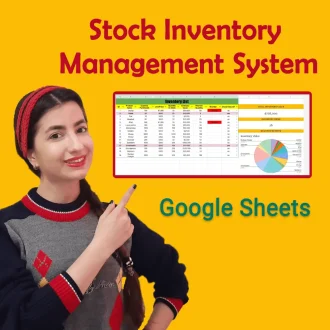
Stock Inventory Management System in Google Sheets
🌟 Product Title: "Stock Inventory Management System in Google Sheets"
How It Works:
- Download the Template: Purchase and download the template instantly.
- Customize to Your Needs: Add your products, set reorder levels, and customize categories.
- Start Managing: Use the template to track inventory movements, update stock levels, and generate reports.
🔗 For any assistance, reach out to us at [Click Here].🛍️ Make your purchase today and redefine the way you manage data!
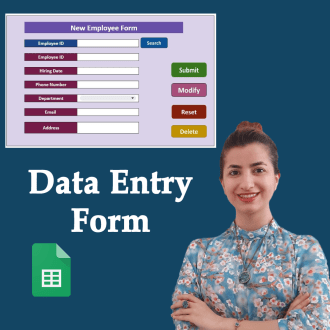

Creating a Powerful Advanced Search Box in Google Sheets – Step by Step
🌟 **Product Title: "Creating a Powerful Advanced Search Box in Google Sheets - Step by Step"**
Unlock the potential of advanced search functionality with our comprehensive product! Purchasing this package provides you with:
1. **Google Sheets Template:**
- A ready-to-use template equipped with a powerful advanced search box, designed to enhance your data search capabilities.
2. **Step-by-Step Video Tutorial:**
- Dive into the intricacies of creating an advanced search box with our detailed video tutorial. Follow along at your own pace to master the process.
📥 **Your Purchase Includes:**
- Immediate access to the advanced search box-equipped Google Sheets template.
- Link to our comprehensive video tutorial for guided implementation.
⚙️ **How to Get Started:**
1. Download the Google Sheets template with the advanced search box.
2. Follow our step-by-step video tutorial for a detailed walkthrough.
🌐 **Note:** This product is designed to empower you in creating a powerful advanced search box in Google Sheets. We're here to support you on your journey to efficient data searching!
🔗 **For any assistance, reach out to us at [Click Here].**
🛍️ **Make your purchase today and revolutionize the way you search and analyze data!**
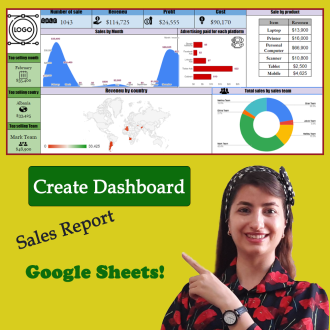
Data Visualization Magic: Create a Dashboard with Google Sheets!
🌟 **Product Title: "Data Visualization Magic: Create a Dashboard with Google Sheets!"**
📥 **Your Purchase Includes:**
- Immediate access to the feature-rich Google Sheets template for dashboard creation.
- Link to our detailed YouTube tutorial for guided learning.
🌐 **Note:** This product is your key to creating captivating dashboards in Google Sheets. We're here to assist you on your journey to impactful data visualization!
🔗 **For any assistance, reach out to us at [Click Here].**
🛍️ **Make your purchase today and transform your data into visual magic!**
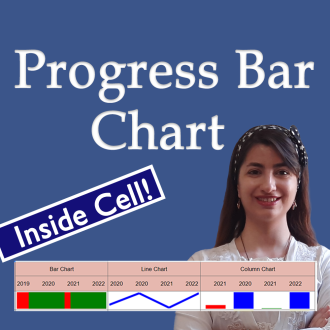
Create a progress bar Chart Inside a Cell in Google Sheets (Full Tutorial)
🌟 **Product Title: "Create a Progress Bar Chart Inside a Cell in Google Sheets (Full Tutorial)"**
Transform your data visualization game with our exclusive product! By making this purchase, you'll unlock a powerful duo:
1. **Google Sheets Template:**
- Step into the realm of dynamic data presentation with our ready-to-use Google Sheets template. Effortlessly create progress bar charts inside cells for impactful data representation.
2. **Link to the Full Tutorial Video:**
- Master the art of progress bar chart creation through our comprehensive video tutorial. Follow step by step and elevate your Google Sheets skills.
📥 **Your Purchase Includes:**
- Immediate access to the Google Sheets template for progress bar chart creation.
- Link to our full tutorial video for guided learning.
⚙️ **How to Get Started:**
1. Download the Google Sheets template to initiate progress bar chart creation.
2. Customize your cells with dynamic progress indicators based on your data.
3. Follow our full tutorial video for insights into effective implementation.
🌐 **Note:** This product is designed to simplify the process of creating progress bar charts inside cells in Google Sheets. We're here to support you on your journey to impactful data visualization!
🔗 **For any assistance, reach out to us at [Click Here].**
🛍️ **Make your purchase today and transform your data presentation in Google Sheets!**

Reviews
Clear filtersThere are no reviews yet.