



Create Email Notification on Form Submit in Google forms
$ 9.97
📥 Your Purchase Includes:
– Immediate access to the Google forms template.
– Downloadable Apps Script code for flexibility and customization.
– In-depth tutorial for a guided learning experience.
🛍️ Make your purchase today
YouTube Channel: https://www.youtube.com/@TechTrickswithEli2023
Telegram Channel: https://t.me/techtrickswithEli
📜 Product Description – “Create Email Notification on Form Submit in Google Forms”
Stay updated instantly! With this Google Forms Email Notification System, you will receive an automated email alert whenever someone submits a response. No more checking forms manually—get notified in real time!
✅ What This Product Does:
✔ Automatically sends email notifications when a Google Form is submitted
✔ Includes form responses (e.g., Name, Email, and Answers) in the email
✔ Works with Gmail & Google Apps Script—fully automated!
✔ Easy to set up—No coding experience required!
📌 Perfect For:
🚀 Teachers & Educators – Get notified when students submit assignments
🚀 Business Owners – Track customer inquiries & feedback instantly
🚀 HR & Recruiters – Receive job applications via email in real time
🚀 Event Organizers – Stay updated on RSVPs & registrations
🎯 Why Choose This?
✅ Saves Time – No need to check forms manually
✅ Boosts Productivity – Get real-time alerts & take immediate action
✅ Fully Automated – Set up once, and it runs forever!
💡 Start automating your Google Forms today! 🚀
YouTube Channel: https://www.youtube.com/@TechTrickswithEli2023
Telegram Channel: https://t.me/techtrickswithEli
Move Rows Automatically to Another Spreadsheet in 1 Step (Apps Script)
How to Auto-Sync Data from Excel to Google Sheets
How to create a data entry form in Google Sheets [with multiple databases]
You must be logged in to post a review.
Related products
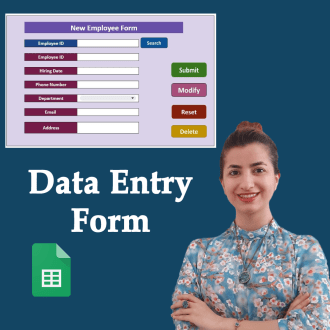

Google Sheets Data Entry Form Builder – Complete Package

Google Forms, With Auto-Generate Reference Numbers When Submitted
📥 **Your Purchase Includes:**
– Immediate access to the Google forms template.
– Downloadable Apps Script code for flexibility and customization.
– In-depth tutorial for a guided learning experience.
🛍️ **Make your purchase today
YouTube Channel: https://www.youtube.com/@TechTrickswithEli2023
Telegram Channel: https://t.me/techtrickswithEli
5x Faster and powerful Data Entry Form (Save & Search in Multiple Sheets)


Creating a Powerful Advanced Search Box in Google Sheets – Step by Step
🌟 **Product Title: "Creating a Powerful Advanced Search Box in Google Sheets - Step by Step"**
Unlock the potential of advanced search functionality with our comprehensive product! Purchasing this package provides you with:
1. **Google Sheets Template:**
- A ready-to-use template equipped with a powerful advanced search box, designed to enhance your data search capabilities.
2. **Step-by-Step Video Tutorial:**
- Dive into the intricacies of creating an advanced search box with our detailed video tutorial. Follow along at your own pace to master the process.
📥 **Your Purchase Includes:**
- Immediate access to the advanced search box-equipped Google Sheets template.
- Link to our comprehensive video tutorial for guided implementation.
⚙️ **How to Get Started:**
1. Download the Google Sheets template with the advanced search box.
2. Follow our step-by-step video tutorial for a detailed walkthrough.
🌐 **Note:** This product is designed to empower you in creating a powerful advanced search box in Google Sheets. We're here to support you on your journey to efficient data searching!
🔗 **For any assistance, reach out to us at [Click Here].**
🛍️ **Make your purchase today and revolutionize the way you search and analyze data!**

How to Generate a Random ID in Google Sheets (Apps script)
🌟 Product Title: "How to Generate a Random ID in Google Sheets (Apps Script)"
📥 Your Purchase Includes:
- Immediate access to the Google Sheets template for random ID generation.
- Downloadable Apps Script code for customization.
- Link to our detailed video tutorial for guided learning.
🌐 Note: This product is designed to simplify the process of generating random IDs in Google Sheets using Apps Script. We're here to support you on your journey to efficient data management!
🔗 For any assistance, reach out to us at [Click Here].
🛍️ Make your purchase today and revolutionize your data tracking in Google Sheets!

Reviews
Clear filtersThere are no reviews yet.