

How to Automatically Send Email from Google Sheets
$ 9.97
🌟 Product Title: “Automatically Send Email from Google Sheets”
🚀 What You’ll Achieve:
– Simplify email management with our Google Sheets template.
– Implement automated email sending with our user-friendly Apps Script code.
– Learn the entire process through our comprehensive YouTube tutorial.
🌐 Note: This product is designed to simplify the process of automatically sending emails from Google Sheets. We’re here to support you on your journey to efficient communication!
🔗 **For any assistance, reach out to us at [Click Here].**
🛍️ **Make your purchase today and redefine the way you manage email communication!**
In this tutorial video, you will learn how to automate the process of sending emails from Google Sheets. Sending emails manually can be a tedious and time-consuming task, but with the help of Google Sheets and a few simple steps, you can easily set up an automated system that will send emails for you. The video will guide you through the process of creating a Google Sheet, setting up the necessary formulas and scripts, and configuring your Gmail account to allow access. You’ll also learn how to customize your email templates and set up triggers to ensure that your emails are sent at the right time. By the end of this video, you’ll have a fully functional system that will save you time and effort while ensuring that your emails are sent out accurately and efficiently. Whether you’re a business owner or just looking for ways to streamline your workflow, this tutorial is perfect for anyone who wants to automate their email-sending process.
Related products
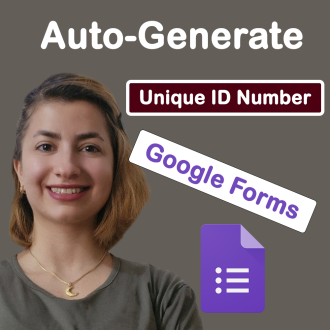
Google Forms, With Auto-Generate Reference Numbers When Submitted
📥 **Your Purchase Includes:**
– Immediate access to the Google forms template.
– Downloadable Apps Script code for flexibility and customization.
– In-depth tutorial for a guided learning experience.
🛍️ **Make your purchase today
YouTube Channel: https://www.youtube.com/@TechTrickswithEli2023
Telegram Channel: https://t.me/techtrickswithEli
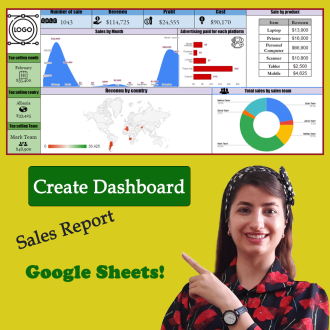
Data Visualization Magic: Create a Dashboard with Google Sheets!
🌟 **Product Title: "Data Visualization Magic: Create a Dashboard with Google Sheets!"**
📥 **Your Purchase Includes:**
- Immediate access to the feature-rich Google Sheets template for dashboard creation.
- Link to our detailed YouTube tutorial for guided learning.
🌐 **Note:** This product is your key to creating captivating dashboards in Google Sheets. We're here to assist you on your journey to impactful data visualization!
🔗 **For any assistance, reach out to us at [Click Here].**
🛍️ **Make your purchase today and transform your data into visual magic!**
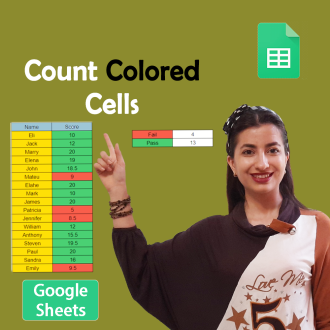
Count Cells Based on Color in Google Sheets
🌟 **Product Title: "Count Cells Based on Color in Google Sheets!"**
📥 **Your Purchase Includes:**
- Immediate access to the Google Sheets template for color-based cell counting.
- Downloadable Apps Script code for customization.
- Link to our comprehensive YouTube tutorial for guided learning.
🌐 **Note:** This product is designed to simplify the process of counting cells based on color in Google Sheets. We're here to support you on your journey to efficient data analysis!
🔗 **For any assistance, reach out to us at [Click Here].**
🛍️ **Make your purchase today and revolutionize your color-based data analysis!**

Creating Date Pickers and Validating Dates in Google Sheets
🌟 **Product Title: "Creating Date Pickers and Validating Dates in Google Sheets"**
📥 **Your Purchase Includes:**
- Immediate access to the Google Sheets template for date management.
- Link to our detailed YouTube tutorial for guided learning.
🌐 **Note:** This product is designed to simplify the process of creating date pickers and validating dates in Google Sheets. We're here to support you on your journey to efficient date management!
🔗 **For any assistance, reach out to us at [Click Here].**
🛍️ **Make your purchase today and transform your date management in Google Sheets!**
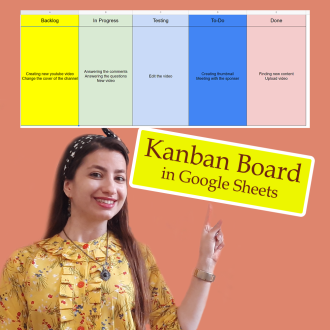
How to Create Kanban board in Google Sheets
🌟 **Product Title: "How to Create a Kanban Board in Google Sheets"**
📥 **Your Purchase Includes:**
- Immediate access to the Google Sheets template for Kanban board creation.
- Link to our detailed video tutorial for guided learning.
🌐 **Note:** This product is designed to simplify the process of creating a Kanban board in Google Sheets. We're here to support you on your journey to efficient project management!
🔗 **For any assistance, reach out to us at [Click Here].**
🛍️ **Make your purchase today and enhance your project management capabilities!**
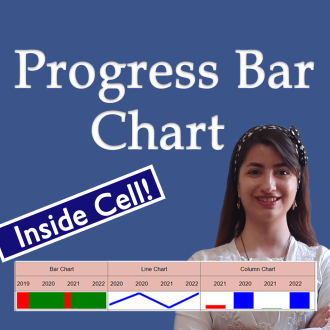
Create a progress bar Chart Inside a Cell in Google Sheets (Full Tutorial)
🌟 **Product Title: "Create a Progress Bar Chart Inside a Cell in Google Sheets (Full Tutorial)"**
Transform your data visualization game with our exclusive product! By making this purchase, you'll unlock a powerful duo:
1. **Google Sheets Template:**
- Step into the realm of dynamic data presentation with our ready-to-use Google Sheets template. Effortlessly create progress bar charts inside cells for impactful data representation.
2. **Link to the Full Tutorial Video:**
- Master the art of progress bar chart creation through our comprehensive video tutorial. Follow step by step and elevate your Google Sheets skills.
📥 **Your Purchase Includes:**
- Immediate access to the Google Sheets template for progress bar chart creation.
- Link to our full tutorial video for guided learning.
⚙️ **How to Get Started:**
1. Download the Google Sheets template to initiate progress bar chart creation.
2. Customize your cells with dynamic progress indicators based on your data.
3. Follow our full tutorial video for insights into effective implementation.
🌐 **Note:** This product is designed to simplify the process of creating progress bar charts inside cells in Google Sheets. We're here to support you on your journey to impactful data visualization!
🔗 **For any assistance, reach out to us at [Click Here].**
🛍️ **Make your purchase today and transform your data presentation in Google Sheets!**

Reviews
Clear filtersThere are no reviews yet.