




Multiple Dependent Drop-Down List in Google Sheets (Apps Script)
$ 9.97
📥 **Your Purchase Includes:**
– Immediate access to the Google Sheets form template.
– Downloadable Apps Script code for flexibility and customization.
– In-depth tutorial for a guided learning experience.
🛍️ **Make your purchase today and redefine the way you handle data entry!**
Master Multiple Dependent Drop-Down Lists in Google Sheets with Apps Script
Unlock the full potential of Google Sheets by learning how to create multiple dependent drop-down lists using Google Apps Script. This easy-to-follow tutorial will guide you step-by-step through the process of setting up dynamic, cascading drop-down menus that change based on the selections made in other lists.
Whether you’re managing inventory, creating custom forms, or building sophisticated data entry systems, this powerful feature will streamline your workflow and enhance your spreadsheet functionality.
Why Choose This Tutorial?
- Simple to Follow: Even if you’re new to Google Sheets or Apps Script, our step-by-step approach makes it easy to implement.
- Time-Saving: Automate the data entry process and reduce human error with dynamic drop-down menus.
- Powerful Customization: Learn how to customize your drop-down lists for various use cases, such as project management, inventory tracking, and more.
- Scalable for Complex Sheets: Perfect for users who need to work with large datasets or multiple categories and sub-categories.
This tutorial is perfect for both beginners and intermediate users who want to enhance their Google Sheets with advanced functionality using Google Apps Script.
You must be logged in to post a review.
Related products

Create Email Notification on Form Submit in Google forms
📥 Your Purchase Includes:
– Immediate access to the Google forms template.
– Downloadable Apps Script code for flexibility and customization.
– In-depth tutorial for a guided learning experience.
🛍️ Make your purchase today
YouTube Channel: https://www.youtube.com/@TechTrickswithEli2023
Telegram Channel: https://t.me/techtrickswithEli
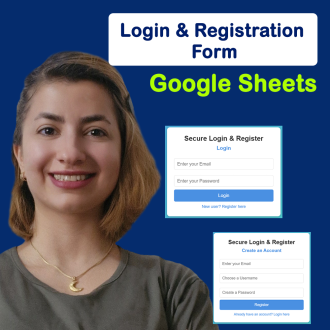

Google Forms, With Auto-Generate Reference Numbers When Submitted
📥 **Your Purchase Includes:**
– Immediate access to the Google forms template.
– Downloadable Apps Script code for flexibility and customization.
– In-depth tutorial for a guided learning experience.
🛍️ **Make your purchase today
YouTube Channel: https://www.youtube.com/@TechTrickswithEli2023
Telegram Channel: https://t.me/techtrickswithEli


Move entire row from one sheet to another sheet based on checkbox
🌟 Product Title: "Move Entire Row from One Sheet to Another Sheet Based on the Checkbox"
📥 Your Purchase Includes:
- Immediate access to the Google Sheets template.
- Downloadable Apps Script code for your customization.
- A link to our detailed video tutorial.
🌐 Note: This product is designed to empower your data management capabilities, offering a comprehensive solution for moving entire rows effortlessly. We're here to support you on your journey to data efficiency!
🔗 For any assistance, reach out to us at [Click Here].
🛍️ Make your purchase today and redefine the way you manage data!
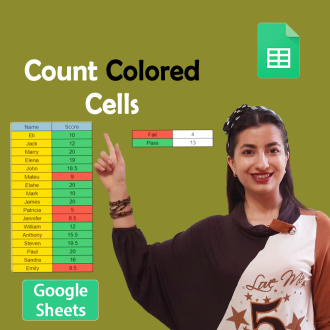
Count Cells Based on Color in Google Sheets
🌟 **Product Title: "Count Cells Based on Color in Google Sheets!"**
📥 **Your Purchase Includes:**
- Immediate access to the Google Sheets template for color-based cell counting.
- Downloadable Apps Script code for customization.
- Link to our comprehensive YouTube tutorial for guided learning.
🌐 **Note:** This product is designed to simplify the process of counting cells based on color in Google Sheets. We're here to support you on your journey to efficient data analysis!
🔗 **For any assistance, reach out to us at [Click Here].**
🛍️ **Make your purchase today and revolutionize your color-based data analysis!**

Reviews
Clear filtersThere are no reviews yet.